iMapper, the laser scanner for 100% reliable floor plans

iMapper is an affordable and easy-to-use laser measurement tool that enables professionals to create 100% reliable floor plans and save days on projects.

Asset managers
Merchants
Woodworkers
Contractors
Diagnosticians
Carpenters
Kitchen designers
Interior designers
Architects
Real estate agents
Merchants
Woodworkers
Contractors
Surveyors
Carpenters
Kitchen designers
Interior designers
Architects
The solution for reliable laser measurements
Focus on what matters most: your customers. Place the iMapper in the room to be measured, press the power button, continue discussing the project with your customer. In less than three minutes, even the most cluttered room will be measured.
85%
Boost your supply chain efficiency by up to 85%, streamlining operations with precision.
60%
Clients using imapper see a 60% average drop in supply chain emissions, advancing sustainability goals.
40%
Imapper’s algorithms on average cut supply chain costs by 40%, merging sustainability with savings.
Step 1
Switch on iMapper in the middle of the room with 1 click
Place the iMapper in the center and after 1 click, while it is measuring, you can concentrate on the customer:
  • Anyone can map any room in 2 minutes, no matter how complex
  • Capture horizontal and vertical measurements
    with ±2 mm accuracy
  • 10 wide-angle photos (360 degrees)
    are taken automatically
Book a Demo
Book a Demo
Autonomous & precise scanning
Living room
Scanning
70%
±2mm precision, 30m range
Reach a ±2 millimeters precision with a range of 30m indoors and 20m outdoors thanks to its laser sensor (1200 points per minute).
10 photos at 360° for every scan
iMapper automatically takes photo documentation so you can see where each measurement was taken.
Rotate iMapper to take vertical cuts
You can measure the height of any room, angles of ceilings or even stairs by rotating iMapper 90° on the tripod.
Step 2
Upload the scans and store all details securely
After taking the measurements upload the point clouds from the SD card on the platform in 10 seconds, they will now be stored securely so you won’t ever lose them:
  • Load points onto the platform in just 5 seconds
  • Join as many rooms as you like, no limits
  • Generate an editable floor plan (walls) in 15 seconds
  • Access to the platform in the cloud, without the need for powerful PCs
Book a Demo
You can manually correct the generated floor plan before exporting into your drafting software.
Book a Demo
Step 3
Take accurate measurements and analyze any detail
The point clouds is so dense that you can:
  • Spot small details like door moulding, stone walls and structural inflections
  • Measure the thickness of the walls and also the angles of the room
  • Measure or draw surfaces accurately between any points in the cloud
  • Measure the exact m² and mÂł of every room with the digital area tool
Book a Demo
Book a Demo
Snapping points are identified for you
The corners of the rooms measured from the iMapper become snapping points to take quick and reliable measurements.
Measure the exact m² of every room
You can use our digital area tool or our digital meter tool to take any measurement.
See where each point was taken
In iMapper's platform, you can see exactly where any measurement was taken thanks to the association with the images.
Step 4
Quickly export measurements from iMapper's platform into your preferred drawing software
Once all adjustments have been made on the iMapper platform, export the floor plan with it's points and lines to various file formats (e.g. DXF) and import them into your preferred drawing software to refine or modify the floor plan:
  • Export the point clouds in the unit of your choice (metric or imperial)
  • Export the lines to eliminate shadow cones
  • You can start working immediately without the risk of errors occurring
Bonus tip: With iMapper Studio, you can even have the floor plan created by one of our drafting experts.
Book a Demo
Book a Demo
Step 5
Keep all your projects organized, create quotes faster and share them with project collaborators
You will be able to share the project with all involved project collaborators:
  • Share unlimited projects in 1 click (no login required)
  • All your scans are on a secure cloud, accessible from anywhere
  • The license of an iMapper platform allows several users to log in and work at the same time.
Book a Demo
Book a Demo
Retour des clients
Afficher tout
« Si, jusqu'à prèsent, vous avez utilisé un télémètre laser ou un mètre ruban et que vous faites confiance à ces outils, vous pouvez faire confiance à iMapper, qui fait le travail tout seul.
Thomas Mimi
Fondateur Kaizo Studio
Description of image
Achieve precision
Millimeter accuracy with an average of over 1200 point clouds per minute and ten photos at 360 degrees. One click of the start button is all it takes to measure a room. Best of all, you can chat with your client while iMapper is working for you.
No need to move any furniture
iMapper also works perfectly in cluttered rooms. Simply position it so that shadow cones are reduced and even the most angled rooms are measured perfectly with an accuracy of ±2 mm.
Take your floor plans anywhere
Upload the point clouds to our platform and merge the different rooms with our automatic algorithm.
Then export the point clouds in various file formats and import them into your usual drafting software to draft your floor plans.
Changez votre façon de prendre et visualiser les mesures
Réservez une démo gratuite d'iMapper (~15 min) avec l'un de nos experts !

→ Vous découvrirez comment fonctionne iMapper
→ Vous découvrirez comment utiliser la plateforme en quelques minutes
→ Nous répondrons à tous vos doutes et questions

Vous verrez iMapper en action sans engagement.
Description of image
Frequently asked questions
Comment fonctionne l'essai zéro risque de 30 jours ?
Chevron arrow down
On juge un arbre à ses fruits, pas aux promesses du jardinier ! Si vous pensez que l'iMapper peut vous aider, ne nous croyez pas, testez le!At the end of the day, the cost for you: 0€.Cost for us: some money, but it's very rare that someone wants to send the iMapper back.
Est-ce que iMapper en vaut la peine ?
Chevron arrow down
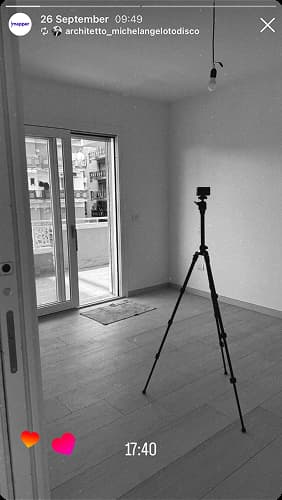
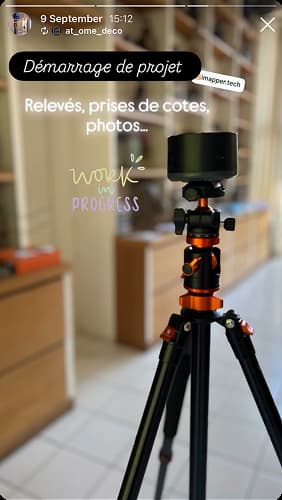
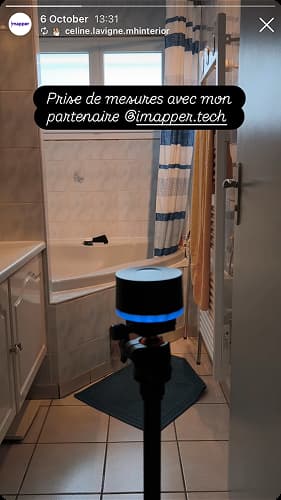
D'après nos utilisateurs, oui. Ils l'adorent, car il leur évite une partie de leur travail ennuyeuse et à faible retour sur investissement. De plus, il est beaucoup moins stressant et fatigant d'effectuer des mesures avec l'iMapper que manuellement.Ci dessous quelques exemples de stories de nos utilisateurs sur Instagram:
‍

Vous avez probablement remplacé votre planche à dessin par AutoCAD/ArchiCAD/Revit/SketchUp il y a vingt ans.

Aujourd'hui, la prise de mesure à la main reste extrêmement coûteuse en temps humain (de une à dix demi-journées par projet en moyenne), ce qui représente un coût d'environ 15 000 euros par an pour un petit cabinet d'architectes.

Concrètement, iMapper permet à une entreprise de gagner du temps dans 3 domaines :

1. lors de la prise de mesures: beaucoup plus rapide et l'iMapper est autonome. Pendant qu'il fonctionne, vous pouvez parler Ă  votre client.
2. lors de la création du plan, qui est accélérée par notre fonction de génération semi-automatique du plan et qui se fait comme un " coloriage ", sans hésitation ni transfert de mesures manuelles vers l'ordinateur.
3. en éliminant les incertitudes de mesure qui nécessiteraient un retour sur le chantier, ou pire, les erreurs qui peuvent retarder significativement le chantier.

Le fait d'avoir des mesures de haute qualité en entrée rend tous les processus de l'entreprise beaucoup plus fluides, de la conception au service client.
L'iMapper est-il garanti ?
Chevron arrow down
Oui, tous nos iMapper sont couverts par une garantie de deux ans.
Puis-je payer en plusieurs fois ?
Chevron arrow down
Oui, vous pouvez payer iMapper en 3 versements sans intérêt. Contactez-nous par e-mail : hello@imapper.tech
Comment ça marche ?
Chevron arrow down
Trouvez toutes les réponses à vos questions techniques sur la page FAQ. Vous pouvez également prendre rendez-vous avec l'un de nos experts ici et poser toutes vos questions en personne.
Language