x

2020 Design

iMapper exports DXF files for 2020 Design (now Design Flex) from laser scanned kitchen and bathroom measurements with ±2mm precision.
Company:
2020 Design
iMapper + 2020 Design: From Room Scan to Kitchen Layout in Minutes
DXF export from measured site data. Accurate kitchen and bathroom layouts for 2020 Design with ±2mm precision.
DXF export · ±2mm precision · 10 portrait photos
Import menu path:
File > Import > From Local Storage > .dxf file

2020 Design is Cyncly's kitchen and bathroom design software, now available as Design Flex, its cloud powered evolution. Kitchen designers, cabinet dealers, and bath retailers use it to lay out rooms, place cabinetry from live manufacturer catalogs, and produce photorealistic renderings with the Cycles engine. It all starts with an accurate room.

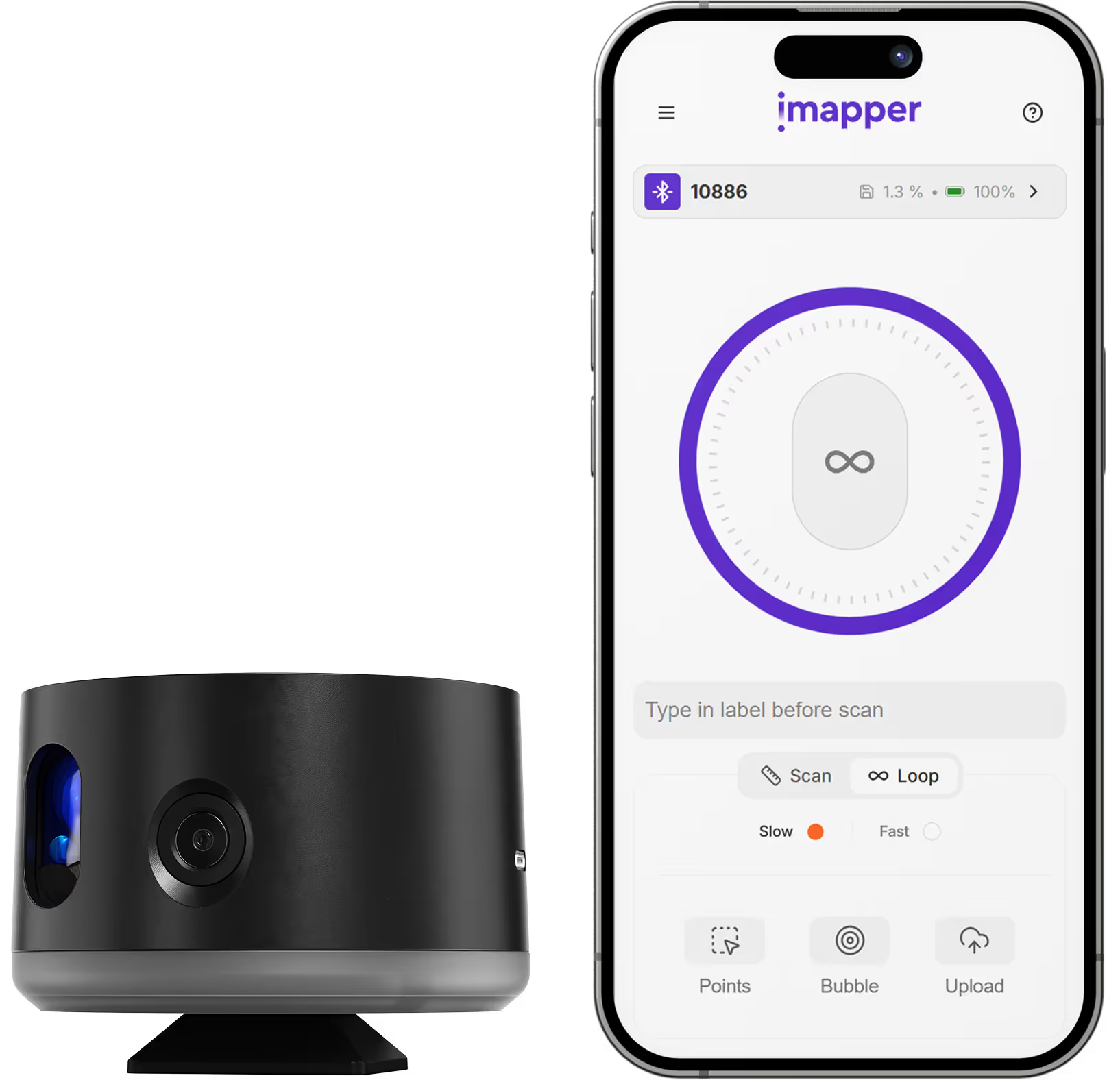
iMapper is what happens before you open 2020 Design. You place the scanner in the room, press once, and walk away. In about 3 minutes you have a full capture of walls, windows, doors, and recesses at ±2mm precision, with 10 portrait reference photos linked to the scan. Export to DXF from the iMapper platform, import the file into 2020 Design as an underlay, and trace your real room. No tape measure errors. No return visits.

Benefits

±2mm Measurement Accuracy

iMapper captures over 1,200 points per minute with ±2mm precision. Cabinet dimensions match reality exactly, so you price on the right numbers and install without last minute adjustments.

DXF Underlay Ready for 2020 Design

Open the DXF directly in 2020 Design as a design underlay and trace walls on top. No plugin, no conversion step, no missing information.

10 Portrait Photos for Every Detail

Outlet positions, pipe locations, window heights, recess depths. Cross check any detail from the 10 portrait photos linked to the scan, without returning to site.

Workflow steps

Step 1: Capture site data with iMapper

Place iMapper in the center of the room and press the button once. The scanner completes its pass in 2 to 3 minutes and captures ±2mm measurements alongside 10 portrait photos at each scan position.

Step 2: Upload to the iMapper Platform

Transfer scans via SD card or the Connect app to platform.imapper.tech. Individual scans stitch into a complete floor plan automatically.

Step 3: Draw the Area and export to DXF

On the iMapper platform, draw the Area of your room and export to DXF. The file is ready to open in 2020 Design.

Step 4: Import into 2020 Design

In 2020 Design go to File > Import > From Local Storage, then select your iMapper DXF file. The scan opens as an underlay on your project canvas.

Step 5: Start your design

Trace walls over the DXF underlay and place cabinetry from Cyncly's manufacturer catalogs on top of accurate geometry. Your layout sits on real room dimensions from the first line.

Step 6: Check anything remotely

Need to verify a pipe position or check a window recess before finishing a detail? Open the linked portrait photos from the iMapper platform. No site revisit needed.

iMapper exports one area per DXF file. For multi room projects, export each area separately and import them one by one into 2020 Design. iMapper produces 2D floor plan data, not a full 3D mesh.

Use cases

Kitchen Remodel

Capture existing kitchen dimensions before demolition. Start your 2020 Design project on accurate room geometry instead of tape measure sketches.

New Kitchen Installation

Precise wall, door, and window measurements for cabinet fitting. Avoid the return visits caused by missing or wrong dimensions.

Bathroom Design

Accurate room geometry for fixture placement, plumbing positions, and tile layout planning in 2020 Design.

Multi Unit and Retail Projects

Scan multiple rooms quickly on the same day, export each as a DXF, and batch design the layouts in 2020 Design.


Category
Kitchen Design
Useful for
Kitchen Designer
Output Formats
DXF
Recommended Format
DXF
Accuracy Statement
±2mm (0.08 in) precision
Units
Metric and Imperial
Supported Versions
2020 Design, 2020 Design Live, Design Flex (v14.8)
Last Updated
April 22, 2026

Frequently asked questions

Need something cleared up? Here are our most frequently asked questions.
What file format does iMapper export for 2020 Design?
How accurate are iMapper measurements in 2020 Design?
Do I need a plugin to use iMapper with 2020 Design?
Which 2020 products are supported?
Can I verify measurements if something looks unclear?
What projects work best with iMapper + 2020 Design?
How long does the workflow take?
Is iMapper compatible with other design software too?

Explore all our integrations

How

Kitchen Designer

s

are using iMapper

Discover how companies streamline scanning, standardize operations, and speed up decision-making using iMapper’s camera-powered visual data system.
Albert Dubler
Architectural firm
iMapper is easy to use, even for people like me who find it harder to learn compared to younger people.
Albert Dubler
atelier-darchitecte-albert-dubler
Read Customer Story
Dimitri Bodiansky
Architectural firm
It’s one of the tools I can no longer work without.
Dimitri Bodiansky
latelier-des-batisseurs
Read Customer Story
Discover iMapper
functionality in 15 minutes
Book a non-binding demo call to see how iMapper Hardware and Software work and improve your measuring workflow on-site and in post production.