x

PaletteCAD

iMapper exports DXF files for PaletteCAD from laser-scanned room measurements with ±2mm precision, ready for carpentry, interior, bathroom, tile, and furniture design.
Company:
PaletteCAD
iMapper + PaletteCAD: Laser-Scanned Rooms to Design-Ready DXF
DXF export from measured site data, so every PaletteCAD design starts from real room dimensions with ±2mm precision and 10 portrait reference photos.
DXF export • ±2mm precision • 10 portrait photos
Import menu path:
Import your .dxf file through PaletteCAD's 2D import interface (PDF follows the same path)

iMapper integrates with PaletteCAD to give carpenters, interior designers, bathroom planners, tile and stone contractors, and furniture manufacturers millimeter-accurate room measurements ready for 3D design, presentation, and CNC production. Place the scanner in the room, press once, and walk away. Three minutes later you have a complete set of measurements capturing walls, doors, windows, and irregular surfaces at ±2mm precision, with 10 portrait reference photos attached to every scan position. Export to DXF from the iMapper platform and import it into PaletteCAD as 2D reference geometry. Your real room becomes the starting point for every downstream step, from design to manufacturer catalogue selection to Palette CAM for CNC. PaletteCAD already supports laser-measurement workflows from other devices, so iMapper slots into the same pipeline with a fraction of the hardware cost.

Benefits

±2mm Measurement Accuracy

iMapper's laser captures 1,200+ points per minute with ±2mm precision. Wall lengths, openings, and recesses carry straight into PaletteCAD, so the design you hand to Palette CAM for CNC reflects the room that was actually measured.

Native DXF, No Plugin

PaletteCAD natively imports DXF. The iMapper export opens as 2D reference geometry without a plugin, conversion step, or intermediate tool. PDF is also available for teams that prefer it.

10 Portrait Reference Photos for Every Detail

Outlet positions, pipe runs, beam clearances, existing obstructions. Verify every detail from 10 portrait reference photos on the iMapper platform without returning to site.

Workflow steps

Step 1: Capture site data with iMapper

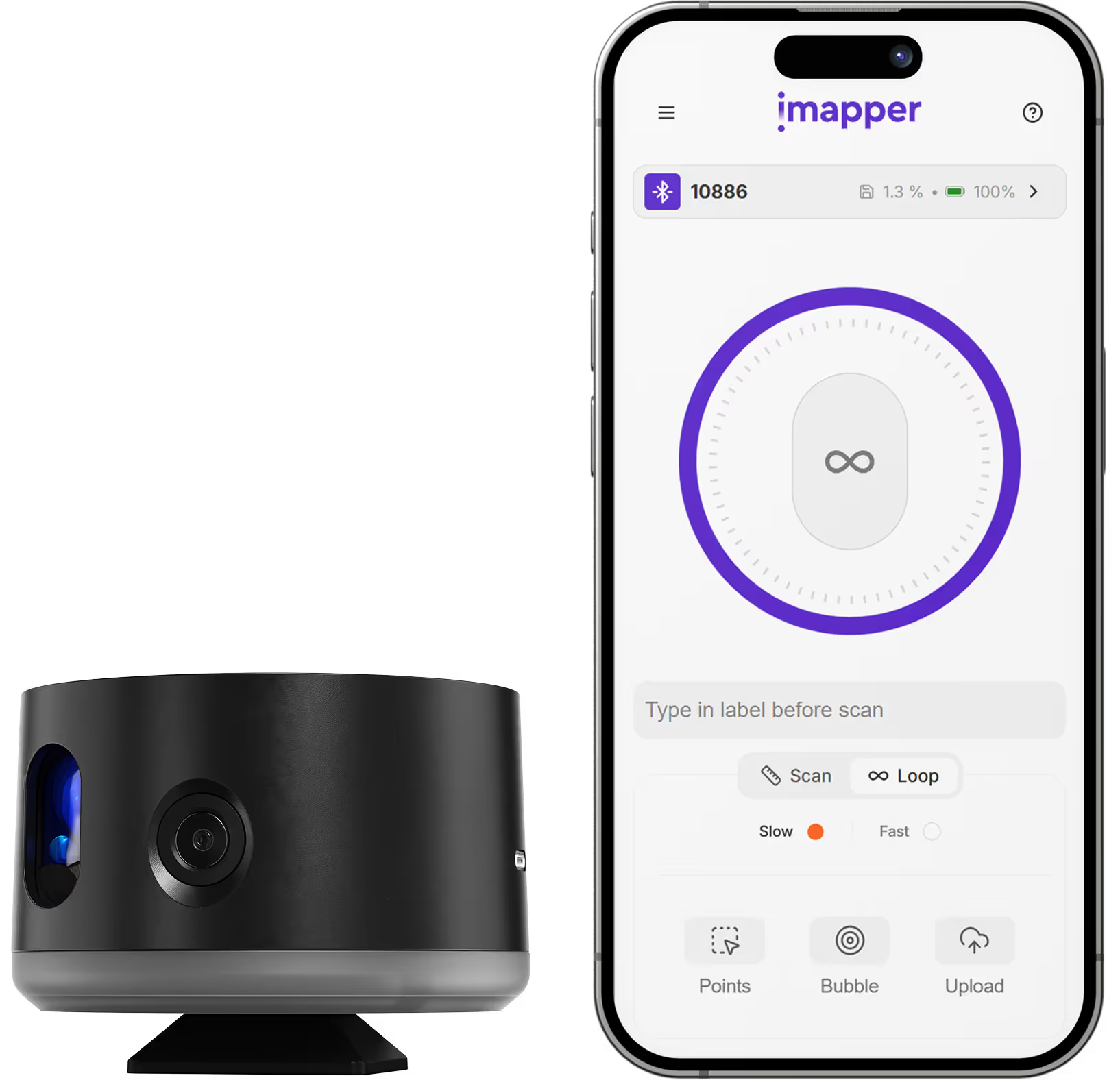
Place iMapper in the center of the room and press the button once. The scanner completes its pass in 2 to 3 minutes and captures ±2mm measurements alongside 10 portrait reference photos at each scan position.

Step 2: Upload to iMapper Platform

Transfer the scan via USB or automatically upload through the iMapper Connect app to platform.imapper.tech. Multiple scans from the same project auto-stitch into a single floor plan.

Step 3: Export to DXF

Draw the room Area on the iMapper platform using magnetized snap points, then click Export and select DXF. The file contains points, polylines, and walls on separate layers, ready to open in PaletteCAD. PDF is also available.

Step 4: Import into PaletteCAD

In PaletteCAD, use the 2D import interface to open your .dxf file. The scanned geometry lands as reference geometry ready to build on top of. PDF follows the same import path.

Step 5: Start your design

Use the imported lines as the basis for walls, cabinet runs, bathroom fittings, tile layouts, stove installations, or custom furniture. Pick objects and materials from PaletteCAD's manufacturer catalogues and build on top of real dimensions rather than sketched ones. Downstream steps, including Palette CAM for CNC, reflect the room as it actually is.

Step 6: Verify with photo cross-reference

Need to check an outlet position, a pipe clearance, or a beam before finalizing a run? Cross-reference the 10 portrait reference photos captured during scanning. No site revisit needed.

iMapper captures one room at a time as a 2D horizontal cross-section. Multi-room projects require a separate DXF export per area. Open-plan spaces larger than 30m may require multiple scan positions. Split levels, mezzanines, and sloped ceilings are not captured in a single pass. iMapper produces 2D geometry, not full 3D mesh models.

Use cases

Carpentry and Joinery

Capture exact room dimensions before producing custom wardrobes, fitted furniture, panelling, or built-ins. PaletteCAD, together with Palette CAM, turns the scan into parts, cut lists, and CNC data without remeasuring by hand.

Bathroom and Tile Planning

Precise walls, recesses, and window positions are everything you need to plan fittings, shower enclosures, tile layouts, and natural stone surfaces in PaletteCAD.

Interior Architecture

Document existing conditions accurately before any interior project. A real as-built baseline means fewer surprises, fewer site revisits, and cleaner presentations in Palette Showroom and Palette Move.

Stove and Fireplace Construction

Millimeter-accurate wall, recess, and flue dimensions for tiled stove and open fireplace installations, a core use case PaletteCAD was built for.


Category
Kitchen Design
Useful for
Kitchen Designer
Output Formats
DXF, PDF
Recommended Format
DXF
Accuracy Statement
±2mm precision
Units
Metric and Imperial
Supported Versions
PaletteCAD Small Business, Professional, Enterprise
Last Updated
April 20, 2026

Frequently asked questions

Need something cleared up? Here are our most frequently asked questions.
What file formats does iMapper export for PaletteCAD?
How accurate are iMapper measurements in PaletteCAD?
Do I need a plugin to use iMapper with PaletteCAD?
Which PaletteCAD packages are supported?
Can I verify measurements if something looks unclear?
What projects work best with iMapper + PaletteCAD?
How long does the workflow take?
Does iMapper work with Palette CAM and CNC workflows?

Explore all our integrations

How

Kitchen Designer

s

are using iMapper

Discover how companies streamline scanning, standardize operations, and speed up decision-making using iMapper’s camera-powered visual data system.
Albert Dubler
Architectural firm
iMapper is easy to use, even for people like me who find it harder to learn compared to younger people.
Albert Dubler
atelier-darchitecte-albert-dubler
Read Customer Story
Dimitri Bodiansky
Architectural firm
It’s one of the tools I can no longer work without.
Dimitri Bodiansky
latelier-des-batisseurs
Read Customer Story
Discover iMapper
functionality in 15 minutes
Book a non-binding demo call to see how iMapper Hardware and Software work and improve your measuring workflow on-site and in post production.