x

CASCADOS

iMapper exports native IFC files for CASCADOS from laser-scanned room measurements with ±2mm precision, ready for BIM modeling and renovation projects.
Company:
CASCADOS
iMapper + CASCADOS: Laser-Scanned Rooms to BIM-Ready Models
Native IFC export from measured site data, so your CASCADOS BIM model starts from a real room with ±2mm precision and 10 portrait reference photos.
Native IFC • ±2mm precision • 10 portrait photos
Import menu path:
For IFC: File > Import > IFC Model

iMapper integrates natively with CASCADOS to give architects, renovation specialists, and BIM professionals millimeter-accurate room measurements ready for building information modeling. Using iMapper's laser scanner (±2mm precision), you capture complete room geometry (walls, windows, doors, and irregular surfaces) in under 3 minutes per room. The iMapper platform exports IFC files, the BIM industry standard that CASCADOS reads natively, so walls and room geometry land in CASCADOS as editable parametric objects with no tracing or redrawing. DXF and PDF exports are also available as secondary options for 2D reference workflows. Unlike tape measures, iMapper eliminates measurement errors and manual transcription, delivering BIM-ready room data without site revisits. Every measurement includes 10 portrait reference photos so you can verify outlets, pipes, and structural details from your desk.

Benefits

±2mm Measurement Accuracy

iMapper's laser captures 1,200+ points per minute with ±2mm precision. Walls, windows, doors, and irregular surfaces arrive in CASCADOS exactly as they are on site, with no fitting errors or costly design rework.

Native IFC Export for Direct BIM Modeling

iMapper exports directly to IFC, the BIM industry standard CASCADOS uses natively. Walls, room geometry, and building elements land in CASCADOS as parametric, editable objects ready for design, not as traced reference lines. DXF and PDF are also available when you need 2D reference geometry.

10 Portrait Reference Photos for Every Detail

Outlet positions, pipe runs, beam clearances, existing obstructions. Verify every detail from 10 portrait reference photos on the iMapper platform without returning to site.

Workflow steps

Step 1: Capture site data with iMapper

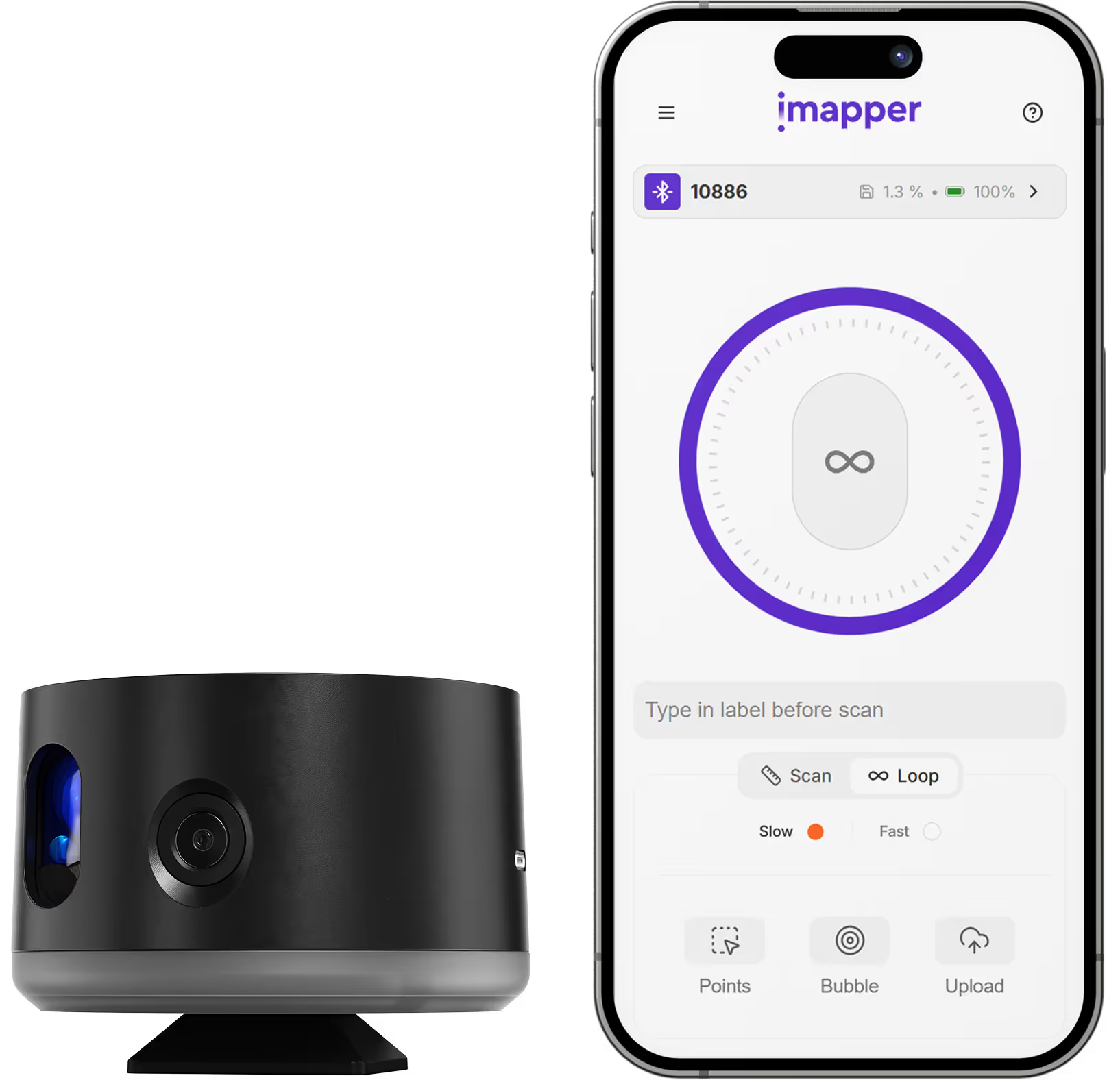
Place iMapper in the center of the room and press the button once. The scanner completes its pass in 2 to 3 minutes and captures ±2mm measurements alongside 10 portrait reference photos at each scan position.

Step 2: Upload to iMapper Platform

Transfer the scan via USB or automatically upload through the iMapper Connect app to platform.imapper.tech. Multiple scans from the same project auto-stitch into a single floor plan.

Step 3: Export to IFC

Draw the room Area on the iMapper platform using magnetized snap points, then click Export and select IFC. The file contains the BIM geometry CASCADOS reads natively. DXF and PDF are also available for 2D reference workflows.

Step 4: Import into CASCADOS

In CASCADOS, use the IFC Import function. Because IFC is the native BIM standard CASCADOS is built on, walls and room geometry load immediately as parametric objects with correct layers, dimensions, and wall types. No tracing, no redrawing, and no conversion wizard.

Step 5: Start your BIM model

The room arrives in CASCADOS as editable BIM geometry. Place slabs, openings, roof components, and interior fittings on the real wall positions. Downstream quantity takeoffs, cost estimation (AVA), GEG energy calculations, and interfaces to WETO, SEMA, or TwinMotion all run on ground-truth dimensions.

Step 6: Verify with photo cross-reference

Need to check an outlet position, a pipe clearance, or a beam before finalizing your model? Cross-reference the 10 portrait reference photos captured during scanning. No site revisit needed.

IFC export covers one room at a time. For multi-room projects, each area is exported and imported separately into CASCADOS. iMapper creates 2D horizontal sections, not full 3D mesh models. Open-plan spaces larger than 30m may require multiple scan positions. Split levels, mezzanines, and sloped ceilings are not captured in a single pass.

Use cases

Renovation and Sanierung Projects

Capture existing building conditions before design begins. Start your CASCADOS BIM model with accurate as-built geometry rather than rough sketches or outdated plans.

New-Build Architecture

Verify site conditions and adjacent structures with laser accuracy, then feed them into CASCADOS as the base for every subsequent design decision.

As-Built BIM Documentation

Create accurate BIM records of completed work for handover, facility management, or GEG energy certification. Every wall is measured, not estimated.

Historic Preservation

Document heritage buildings with millimeter accuracy. Irregular walls, curved contours, and complex geometry are captured exactly as built and transferred into CASCADOS for careful renovation planning.


Category
BIM
Useful for
Architect
Output Formats
IFC, DXF, PDF
Recommended Format
IFC
Accuracy Statement
±2mm precision
Units
Metric and Imperial
Supported Versions
CASCADOS (current versions)
Last Updated
April 20, 2026

Frequently asked questions

Need something cleared up? Here are our most frequently asked questions.
What file formats does iMapper export for CASCADOS?
How accurate are iMapper measurements in CASCADOS?
Do I need a plugin to use iMapper with CASCADOS?
What versions of CASCADOS are supported?
Can I verify measurements if something looks unclear?
What projects work best with iMapper + CASCADOS?
How long does the workflow take?
How do I import an iMapper IFC file into CASCADOS?

Explore all our integrations

How

Architect

s

are using iMapper

Discover how companies streamline scanning, standardize operations, and speed up decision-making using iMapper’s camera-powered visual data system.
Albert Dubler
Architectural firm
iMapper is easy to use, even for people like me who find it harder to learn compared to younger people.
Albert Dubler
atelier-darchitecte-albert-dubler
Read Customer Story
Dimitri Bodiansky
Architectural firm
It’s one of the tools I can no longer work without.
Dimitri Bodiansky
latelier-des-batisseurs
Read Customer Story
Discover iMapper
functionality in 15 minutes
Book a non-binding demo call to see how iMapper Hardware and Software work and improve your measuring workflow on-site and in post production.